
Guest Request Experience
GUEST REQUEST EXPERIENCE
A simpler way for guests to request service.
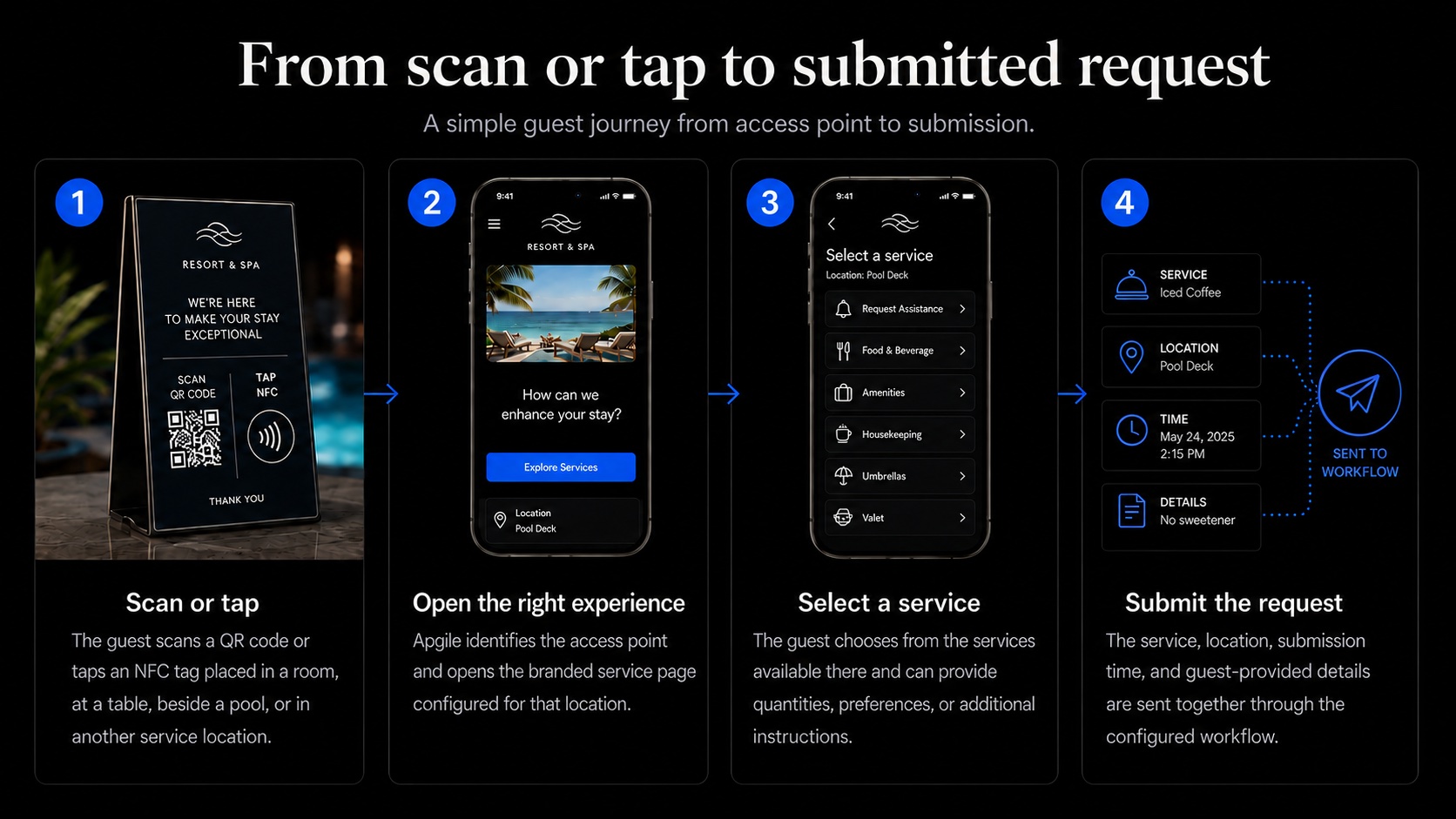
Guests scan a QR code or tap an NFC tag to open a branded service page for their exact location. They select what they need, provide any relevant details, and submit the request—without downloading an app or explaining where they are.
GUEST REQUEST EXPERIENCE
A simpler way for guests to request service.
Guests scan a QR code or tap an NFC tag to open a branded service page for their exact location. They select what they need, provide any relevant details, and submit the request—without downloading an app or explaining where they are.
Designed to make every request effortless
Guests access the right services directly from their own phone. Each QR code or NFC tag identifies the location and displays only the services available there. The experience can reflect the property’s branding, instructions, and service priorities.
No app download
Guests access the service experience directly from their phone using a QR code or NFC tag.
Location identified automatically
Each access point is linked to its room, table, cabana, venue, or service area.
Services tailored by location
Guests see only the services configured for the place they are visiting.
Branded for the property
The experience can reflect the property’s logo, colors, service categories, and instructions.
Guest journey
Apgile removes unnecessary steps from the guest-service process. The location and available services are already configured, allowing the guest to focus only on what they need.
Location-specific guest services
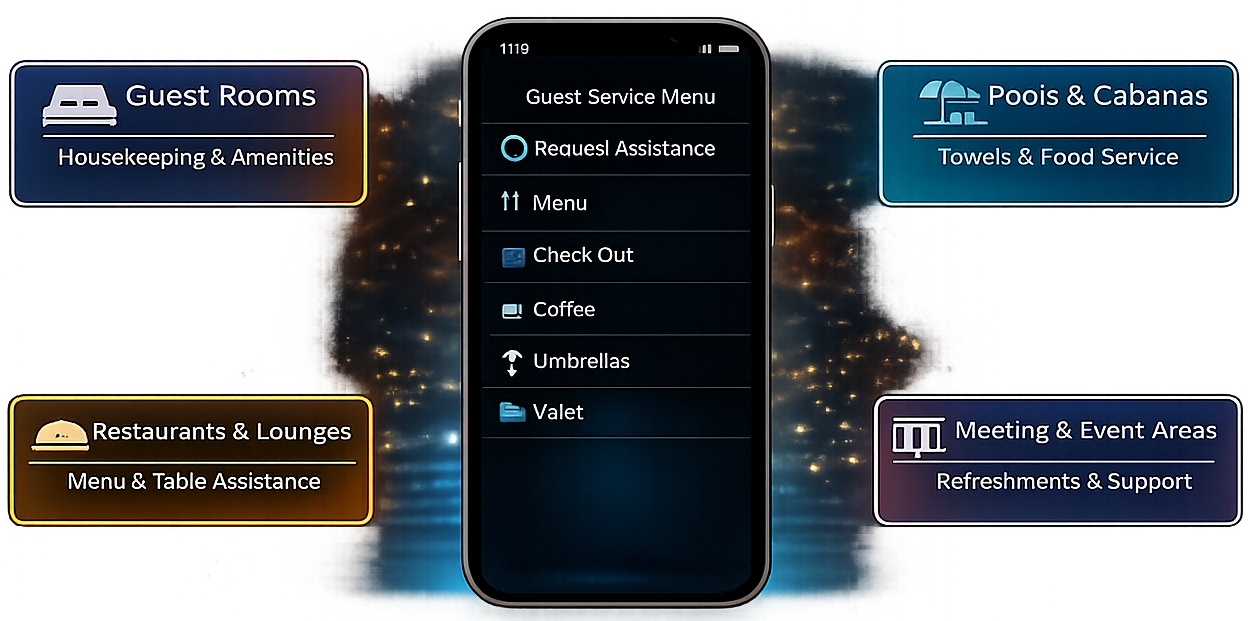
A guest should not have to search through services that are irrelevant to where they are. Apgile allows each room, venue, or service area to present the options that make sense for that specific location.
Guest rooms
Give guests access to housekeeping, towels, toiletries, linens, room amenities, tray pickup, maintenance, and general assistance.
Pools, beaches and cabanas
Provide access to towels, food and beverage service, umbrellas, cabana assistance, and other location-specific requests.
Restaurants and lounges
Let guests request staff assistance, view available services, access food and beverage options, or communicate a table-specific need.
Meeting and event areas
Provide access to refreshments, room setup assistance, audiovisual support, maintenance, or other services configured for the event space.
Property branding
Guests should feel that they are using the property’s service experience—not an unrelated third-party application. Apgile can be configured to reflect the property’s identity while presenting the services and instructions appropriate to each location.
Property identity
Display the property’s logo and reflect its visual identity.
Brand colors
Apply colors that coordinate with the property’s guest-facing identity.
Location-specific options
Show different service categories in rooms, restaurants, pools, cabanas, and other areas.
Property instructions
Include information or request guidance relevant to the service and location.
Guest experience questions
Answers to common questions about guest access, location identification, service options, and property branding.
No. Guests access the service experience by scanning a QR code or tapping an NFC tag with a compatible smartphone.
Every QR code or NFC tag is associated with a specific room, table, cabana, venue, or service area. The location is identified when the guest scans or taps the access point.
Yes. A guest room can present housekeeping and amenity options, while a poolside location can present towels, food and beverage service, or cabana assistance.
Yes. The guest-facing experience can be configured with the property’s logo, colors, service categories, location-specific options, and instructions.