
Staff Notifications & Escalations
STAFF NOTIFICATIONS & ESCALATIONS
Keep every guest request visible and moving.
When a guest submits a request, Apgile routes the service, location, time, and request details to the responsible team. Staff can acknowledge, manage, redirect, and complete the request, while unattended requests follow the property’s escalation workflow.
STAFF NOTIFICATIONS & ESCALATIONS
Keep every guest request visible and moving.
When a guest submits a request, Apgile routes the service, location, time, and request details to the responsible team. Staff can acknowledge, manage, redirect, and complete the request, while unattended requests follow the property’s escalation workflow.
Designed to give every request clear ownership
Route each request to the team responsible for the service and location. Give staff the operational context needed to respond without unnecessary back-and-forth. Keep unattended requests visible and move them through the configured escalation path.
Route to the right team
Send each request according to the requested service, location, department, and configured workflow.
Provide the full context
Show the service, location, submission time, current status, and guest-provided details together.
Create clear ownership
Use acknowledgment and request status to show when the request is being handled and when it is complete.
Escalate when needed
Move unacknowledged requests to another staff member, team, supervisor, or manager after the selected response period.
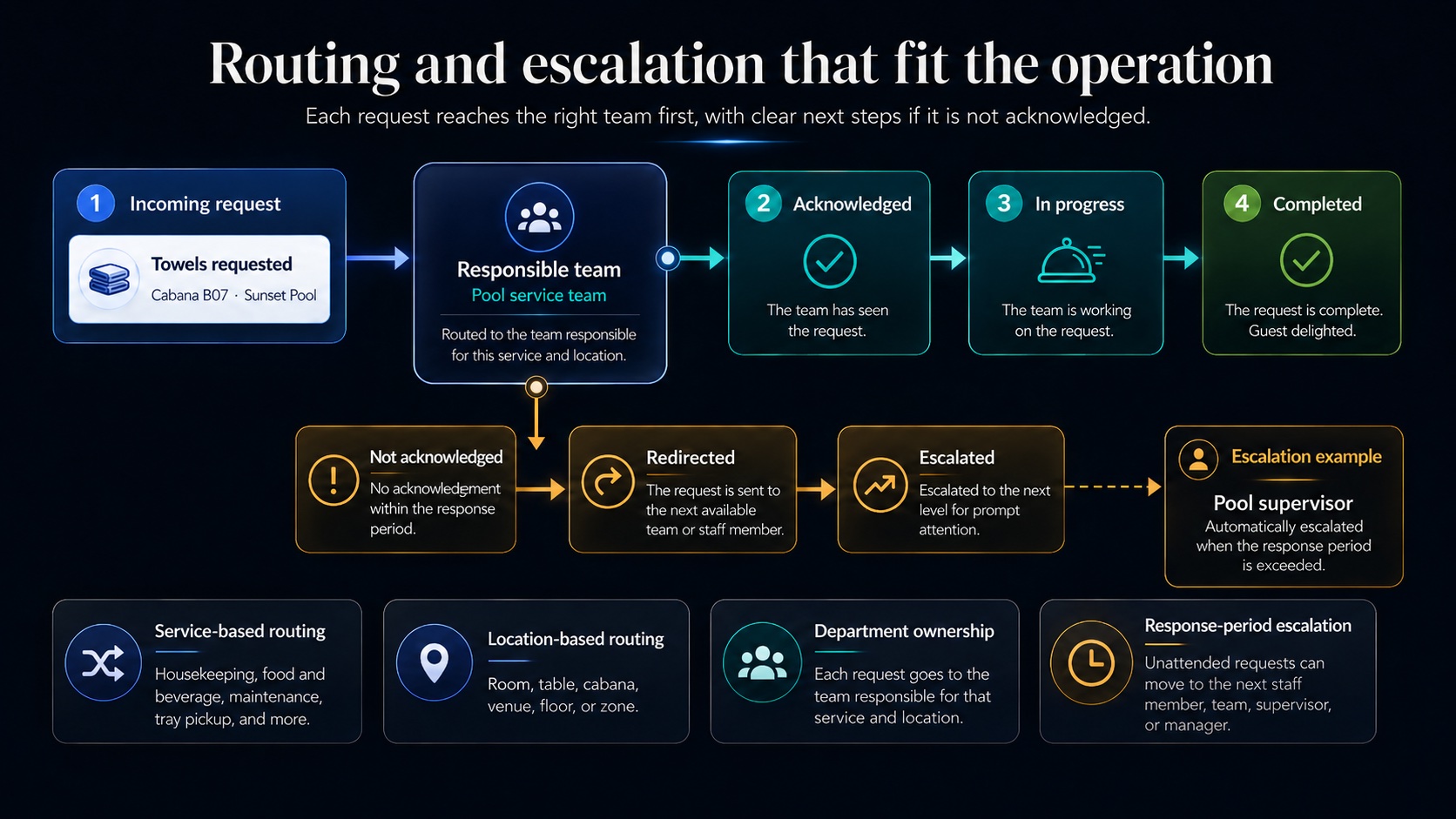
Routing and escalation
Each property can organize the workflow around its services, locations, departments, and response procedures. The right team receives the request first, while defined escalation rules determine what happens when it is not acknowledged.
Staff devices
Staff can receive and manage requests on supported smartphones, tablets, or computers. Smartwatches are optional and can be added where quick, at-a-glance visibility is useful for mobile teams.
Smartwatches
Provide mobile team members with quick notification visibility without making the watch a deployment requirement.
Smartphones
Give mobile staff access to requests while they move through the property.
Tablets
Keep a shared request queue visible at a venue, department, or service station.
Computers
Manage requests from an operational desk, dispatch point, or supported workstation.
Staff notification and escalation questions
Answers to common questions about request routing, notification details, acknowledgment, escalation, and supported staff devices.
When a guest submits a request, Apgile routes it in real time to the appropriate staff member or operational team according to the configured service, location, department, and workflow.
The notification can include the service requested, room or venue, submission time, current status, and any information voluntarily provided by the guest.
If the request remains unacknowledged beyond the property’s selected response period, it can be escalated to another staff member, operational team, supervisor, or manager. The request remains visible until it is acknowledged, completed, or otherwise resolved.
No. Staff can receive and manage requests through supported phones, tablets, or computers. Smartwatches are optional and can be used where they are helpful for mobile teams.